How to suggest a new community map?
If you know a freely and publicly available online map, don't hesitate to suggest it so we can check if it can be added to the community maps list.
To suggest a map:
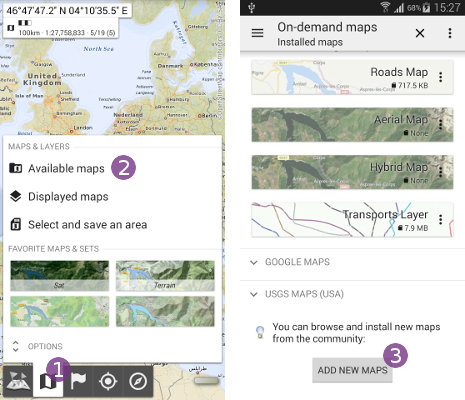
- Click on the “
Maps” menu and select “
Available maps” ;
; - At the end of the on-demand maps list, click on “
Add new maps” ;
;
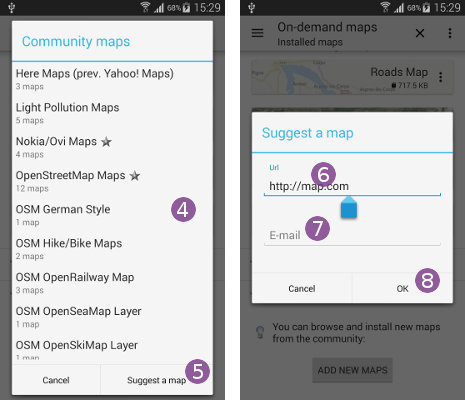
- Wait for the community maps list to update and display
 , and check if your maps is not already listed;
 - If not, click on the “
Suggest a map” button;
 - Enter the exact map server URL in the “
Url” text field, and your e-mail address in the “
E-mail” text field so we can give you an update;
 - Click on “
Ok” to submit your suggestion.