Other features
How to report errors?
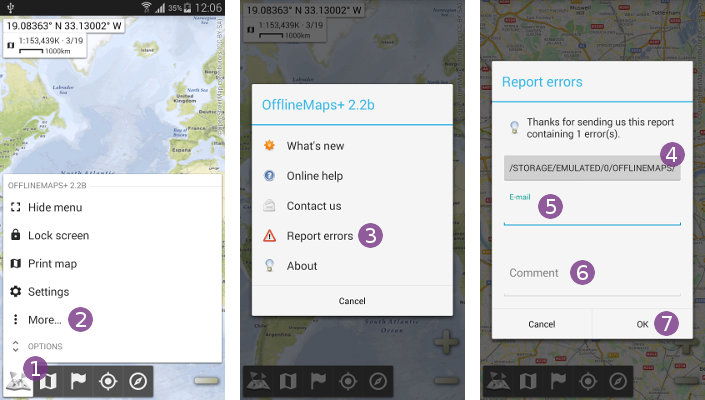
If you've experienced errors or any strange behaviors while using the application, don't hesitate to send us a report and a small description:
- Click on the main menu icon
 and on “
More…” ;
; - Select “
Report errors” .
.
If you want, you can check the log report that the application will send to us by clicking on  .
.
- Enter your e-mail address in the “
Email” text field so we can give you an update on the report;
 - Describe your problem precisely in the “
Comment” text field;
 - Click on “
Ok” to send the report.